



How to Transfer Tickets
STEP 1
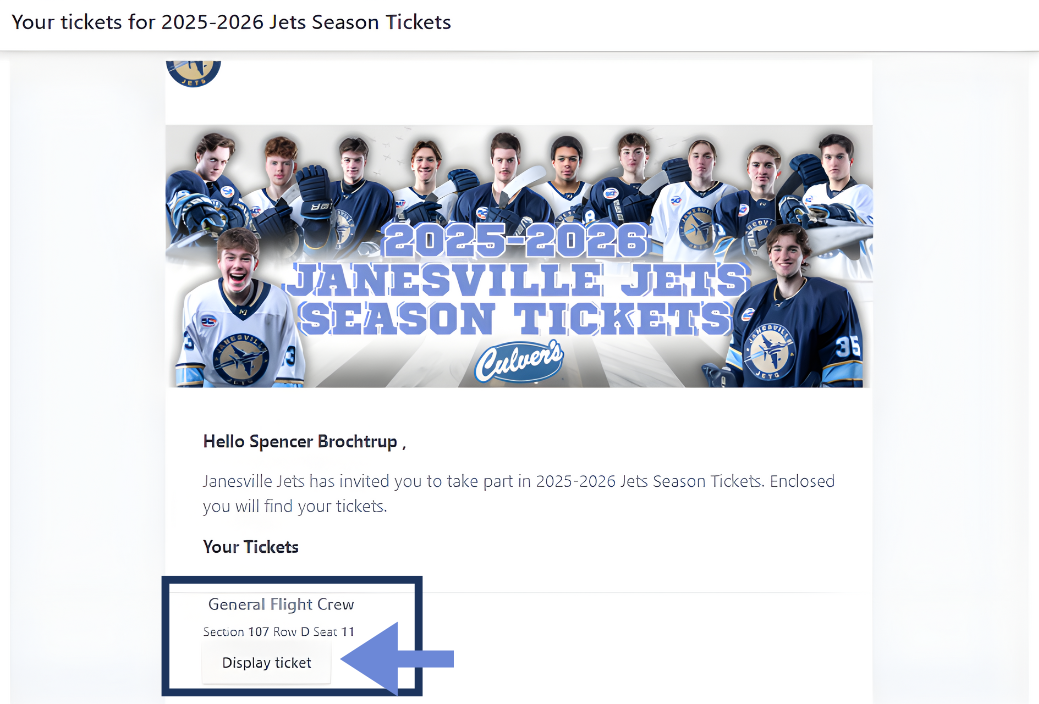
Once you have bought your tickets, go to the email you had them sent to and navigate to “Display Ticket” under “Your Tickets” in the email.
STEP 2
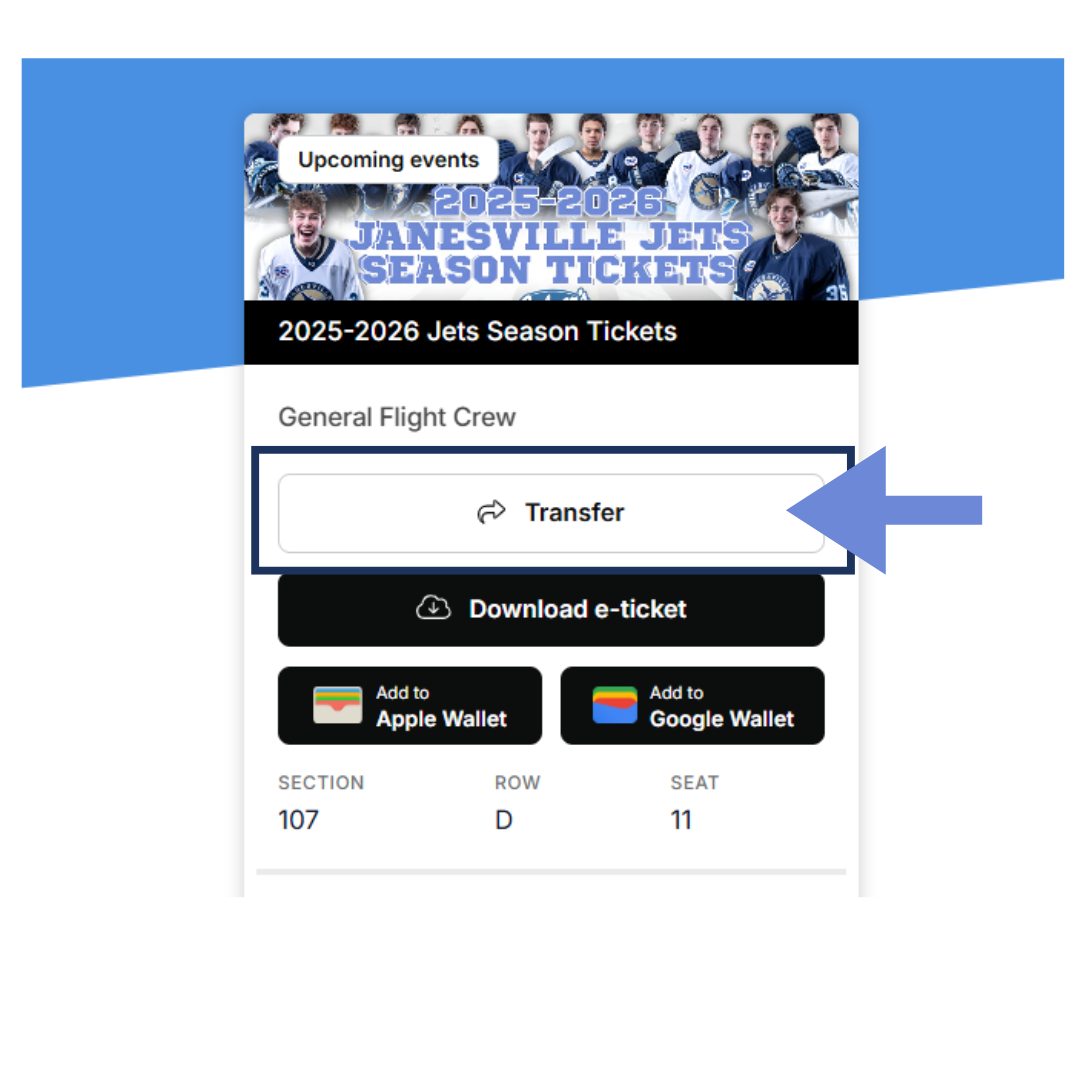
Navigate to the “Transfer” button that is prompted
STEP 3
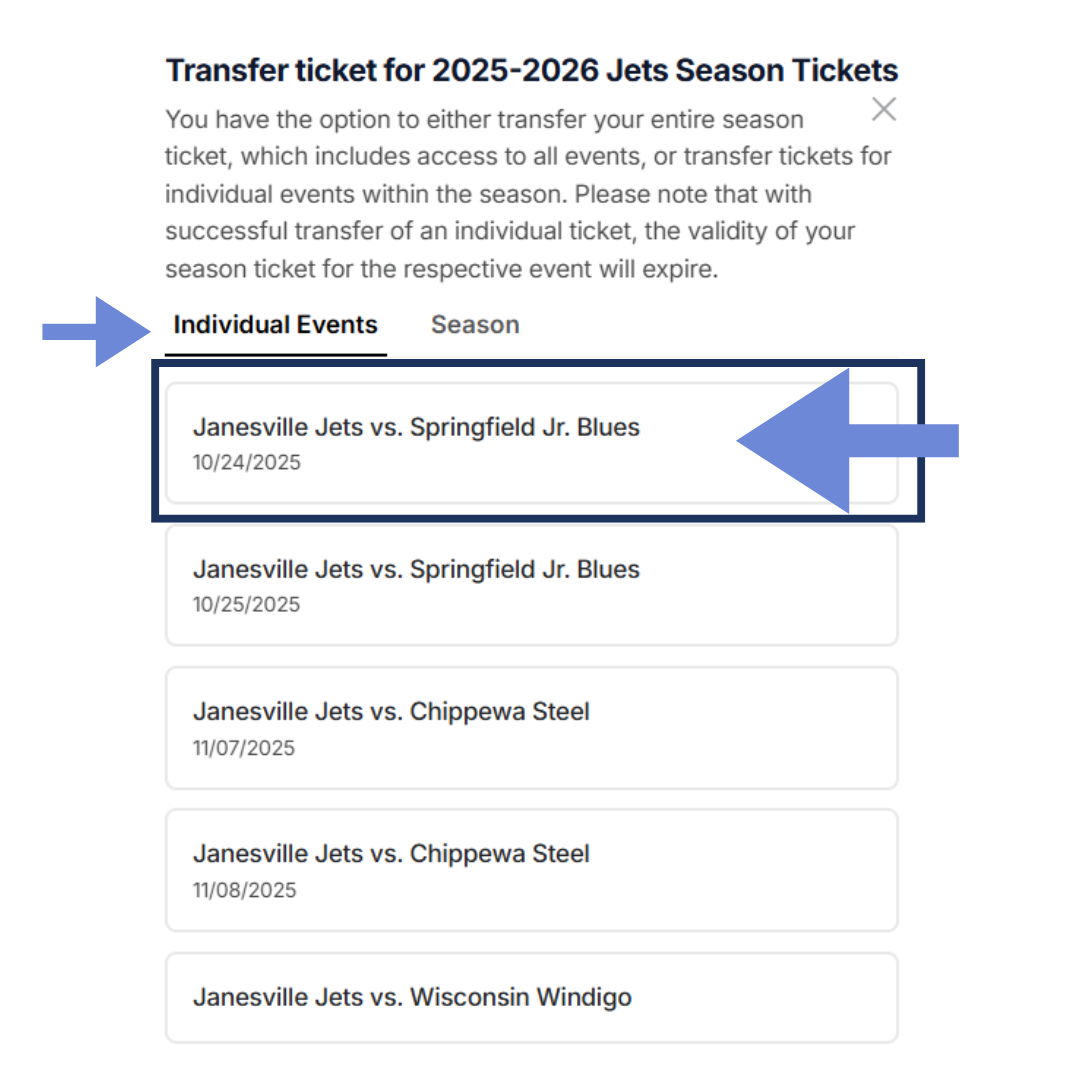
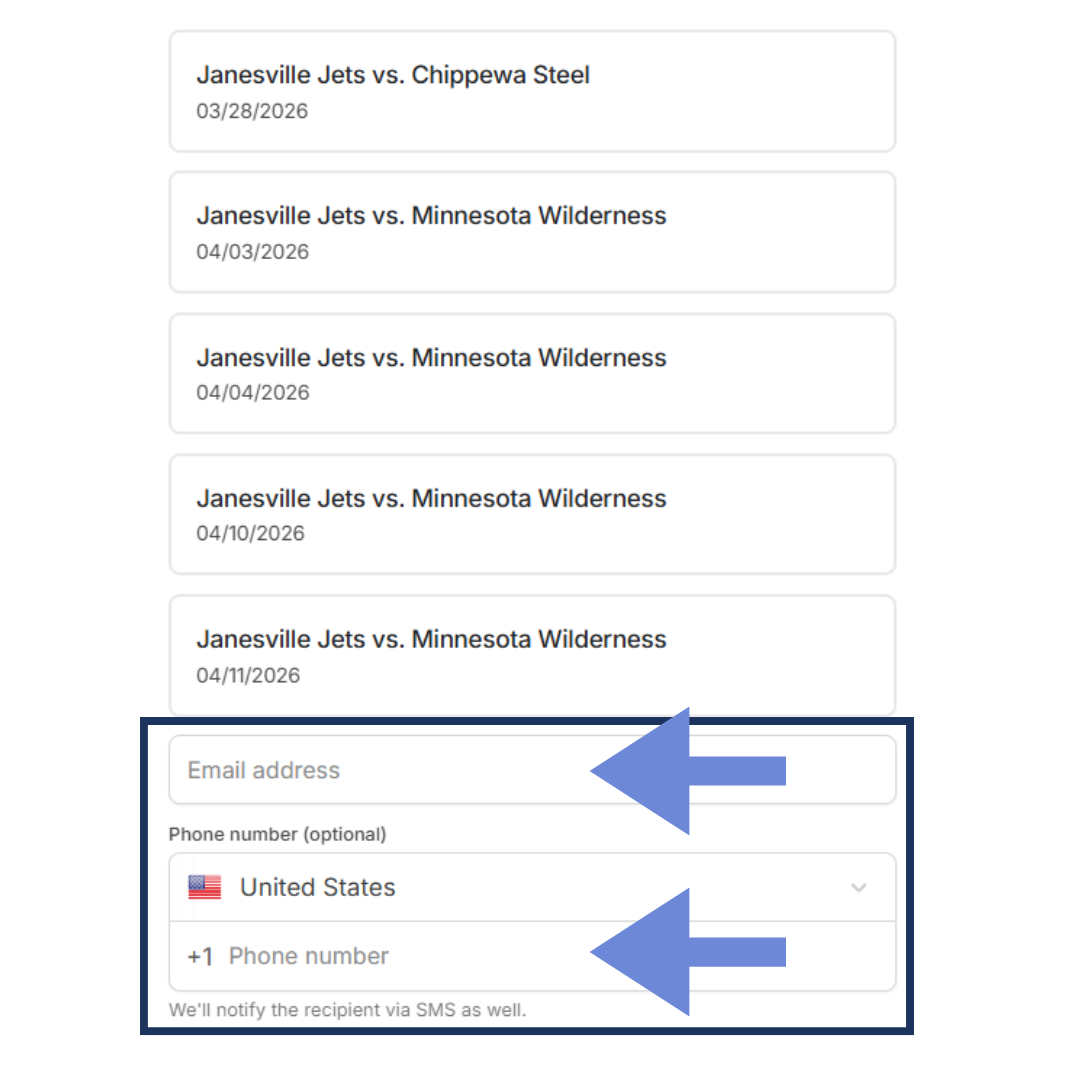
If you are looking to only transfer one game, navigate to “Individual Events” and select what game/games you would like to transfer and scroll to the bottom of the screen.
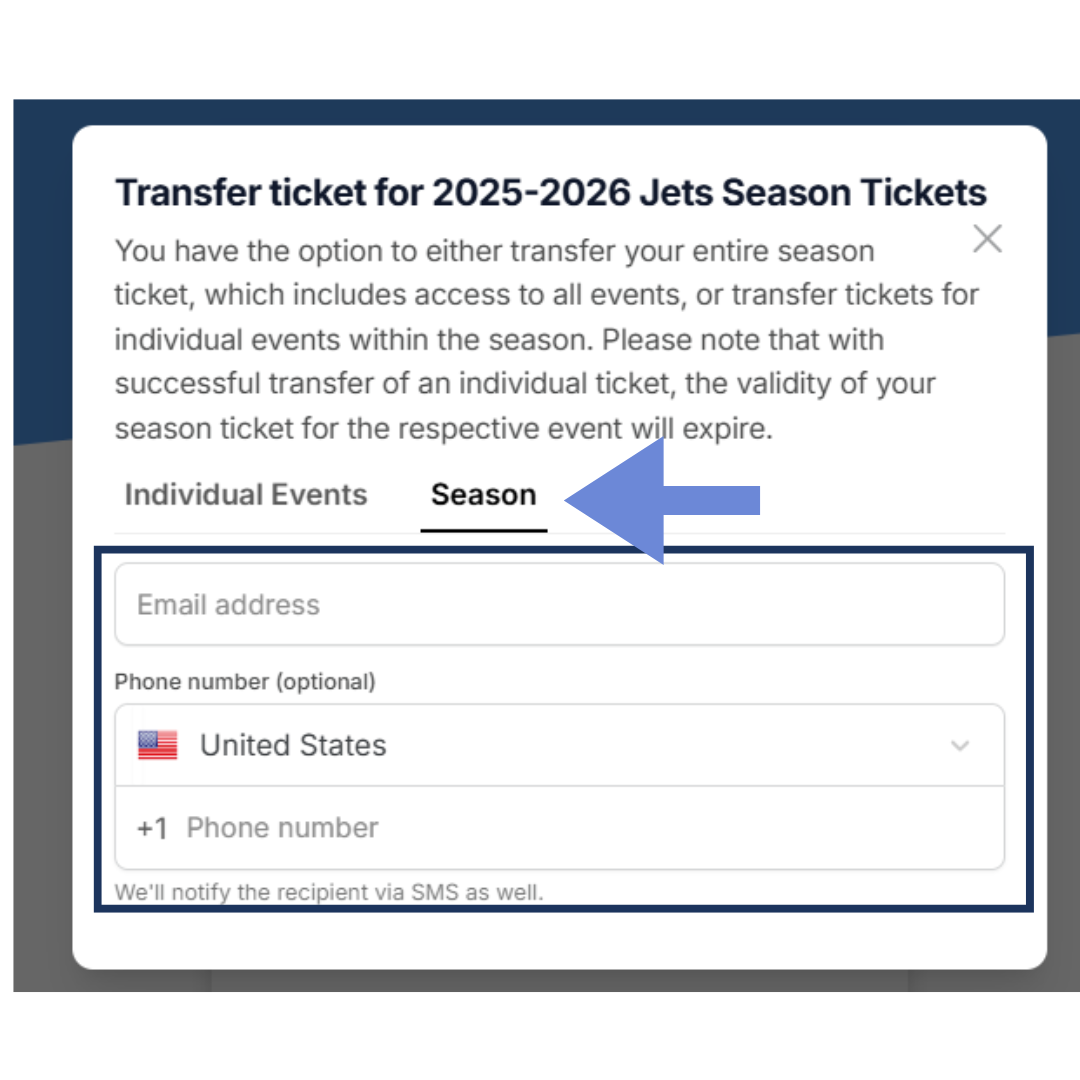
If you are looking to transfer the entire season ticket including all games, navigate to “Season” and fill out the information for whom you are transfering the tickets to.
STEP 4
Once you have selected the games you want to transfer tickets to, fill out the email and phone number of the person you are sending the tranfered tickets to.
STEP 5
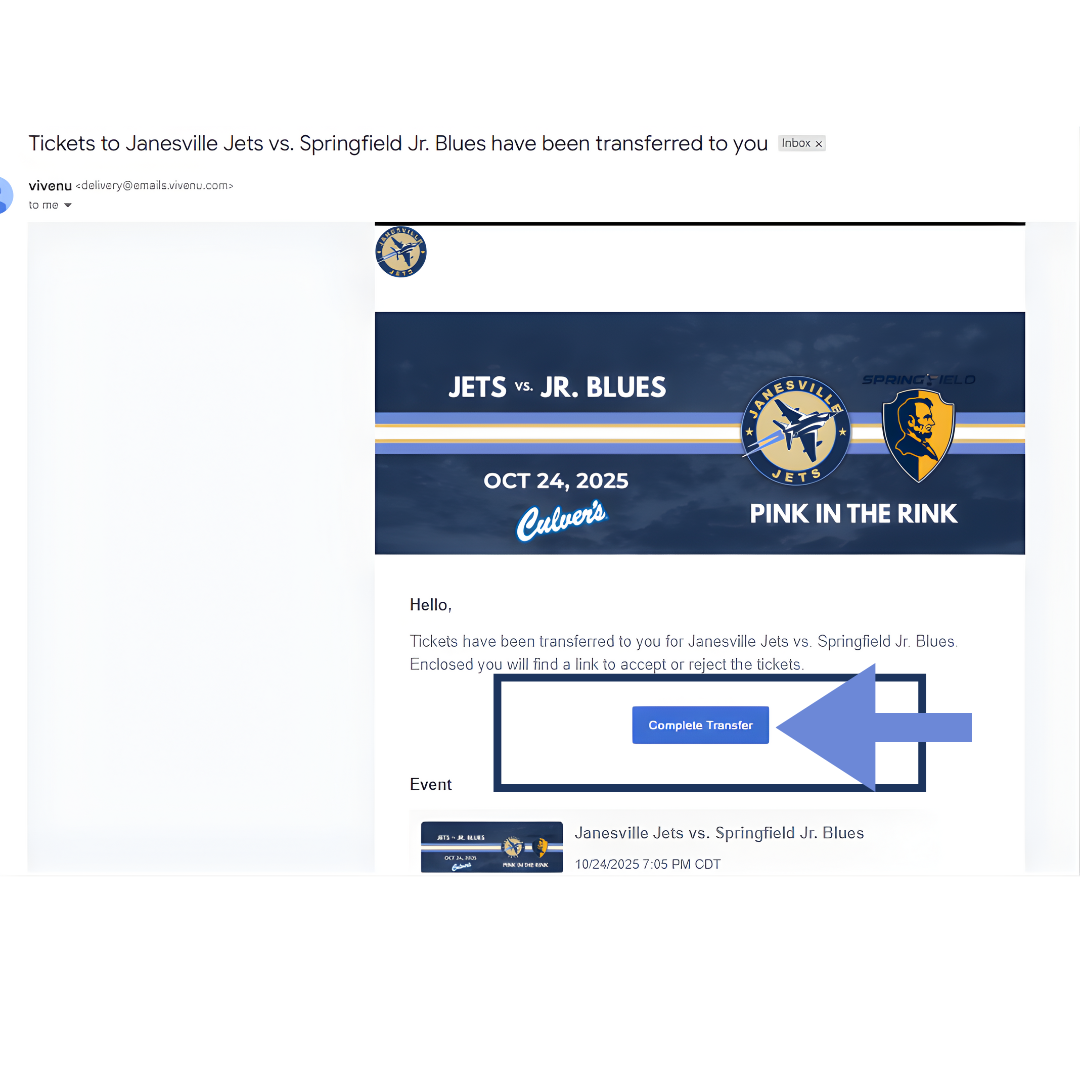
Once you have transferred the tickets, the person you transferred the tickets to should go to their email or phone number and navigate to “Complete Transfer”
Once they do this, they should put in their first and last name and hit accept.
Once this is done, you have successfully transferred your tickets.

Ticket Transfer Disclaimer: When you transfer either specific game tickets or full season tickets, the only way to get these tickets back to you is to have the person who you have transferred the tickets to transfer the tickets back with your information, following the same step from above. If you have problems transferring your tickets, please email tickets@janesvillejets.com .
